


TK.
-
Posts
15,261 -
Joined
Content Type
Profiles
Forums
Blogs
Gallery
Everything posted by TK.
-
It will use the full range once (for example) the LFO depth *and* the modulation path depth is set to maximum value. I could add a special parameter for adjusting the scaling, but I fear that nobody will really use it (and/or most will be confused about the parameter as some are already confused about the mysterious meter features at all ;) Best Regards, Thorsten.
-
I like the "advance step" parameter, very nice idea! Will be implemented soon! Btw.: while the forum was almost empty I had some more time for making music! ;) I noticed a bug in the "Save as.." function: under certain circumstances it can happen that after "Save as..." new patterns will be stored into the previous session, and not into the new session. Since nobody reported this yet, it seems to be a minor issue - but it will be fixed of course! Best Regards, Thorsten.
-
I haven't continued yet as this is a low-prio project for me. My Core32 based MBLC is already stuffed with a module, communication goes through a STM32 module via USB to Logic Pro - it works perfectly. I built a second module for testing different faders, but haven't found the time yet to run the tests and to find + document the best calibration values. Also a PCB layout is not available yet... However, if anybody wants to build this on a veroboard: just do it! The schematic is final, the firmware is released in the repository and I can send you an MIOS Studio update for calibration (or you can compile it by yourself). Best Regards, Thorsten.
-
Very nice seq noodels and sounds :) Best Regards, Thorsten.
-
See this thread: 4 manuals of an organ controlled from a single BLM16x16+X based application running on the PIC. The code can be found here: http://svnmios.midibox.org/listing.php?repname=svn.mios&path=%2Ftrunk%2Fapps%2Fcontrollers%2Fblm_scalar_4x8x8_buttons%2F The same could be ported to MIOS32 as the BLM_SCALAR library exists for Core32 as well: http://svnmios.midibox.org/listing.php?repname=svn.mios32&path=%2Ftrunk%2Fapps%2Fcontrollers%2Fblm_scalar%2F Best Regards, Thorsten.
-
Hi Michael, the labels on the silkscreen are correct, please take them as a reference. I just noticed that the .brd file published on my website reference the V2a design, while SmashTV offers the R1 version (which is newer than V2a - it wasn't my idea to call it R1 ;)) The documentation will be updated on my website soon. Best Regards, Thorsten.
-

SwinSID - a pin compatible alternative to the SID chip
TK. replied to TheFumigator's topic in MIDIbox SID
<very_strong_voice>sammichSwinSid</very_strong_voice> ? :flowers: Best Regards, Thorsten. -
Good news: this is pin #24, the RESET pin, which can be left open -> no need to fix this with a jumper :) Reference: http://www.ucapps.de/mbhp/mbhp_usb_gm5.pdf Best Regards, Thorsten.
-
Great that you finally published the application! :) I looked into the source code, but all those strange instructions are looking like hieroglyphics to me. But I'm willing to learn! Please advise me where and how I have to change the code for following features: synchronizing the sample output to the word clock of my sampler (96 kHz) optionally writing the sample output to a SD Card. Please encode into MP3 format, because I've a 64MB card from my old photo camera which would be sufficient for my fav SIDs (I don't want to buy a new one) adding some Fx like convolution based reverb and multiband compressor integrated .sid file editor anyone? It would be nice if you could help me to realize this in the next days, because I decided to make this as my study project! /edit: I haven't ordered my Core32 from SmashTV yet, could I also use the 4xCore8s of my MB6582? A friend told me that the cores are communicating via CAN, so that it should be possible to share the job between the CPUs? /edit2: how can I playback NES sounds with this app? /edit3: MIOS Studio doesn't allow me to upload the .hex file into a PIC, but I found out that this can be done by using the old MIOS Studio with feedback disabled /edit4: my PIC doesn't boot anymore, and Smash hasn't answered yet! Please help!
-
you know where to change it... :rolleyes: Best Regards, Thorsten.
-
I added your request to the Wishlist (end of the CHANGELOG.txt sid_lfo_table.inc has to be enhanced (see end of this file) + the preset offset in sid_se_l.inc (search for "if LFO synched via clock, replace 245-255 by MIDI clock optimized incrementers") In addition the appr. CS code + Rutger's and Nils Editor have to be adapted. And the documentation has to be overworked of course. Best Regards, Thorsten.
-
MIDIbox FM V1.2 has been released! It supports the PIC18F4685 -> more memory, more features, more fun! :) You will get some nice looking waveform icons and an integrated random patch generator! :frantics: You can simply replace the PIC18F452 by a PIC18F4685 w/o changing the remaining hardware. Later the CAN interface for MBNET communications could be supported (but I'm still unsure if it's really worth the effort). As long as it isn't enabled, data to the MBHP_OPL3 module will be output to the complete J15 port by the setup_pic18f4685_mbfm_v1.hex variant so that there is no need for changing the connections. The setup_pic18f4685_sammich_fm.hex variant is already prepared for the MBNET option (again: it's unclear yet if it will be ever supported), D2 and D3 are output by the RE1 and RE2 pins, so that RB2 and RB3 pins are free for the CAN interface. The update is also relevant for PIC18F452 users: you will get the possibility to trigger notes from the CS, the Instrument LEDs will flicker on incoming notes, and there is a bugfix for finetune. From the ChangeLog: MIDIboxFM V1.2 ~~~~~~~~~~~~~~ o The firmware now supports the PIC18F4685. The additional memory is used for new features: - Nils added some nice looking special characters for LFO, OSC waveforms and operator connections - Wilba added some special CS handling code for sammichFM - TK added a random patch generator (-> RND page at the end of the menu) o Instrument LEDs are flashing now whenever a gate of an assigned oscillator is triggered o added possibility to play a note from the CS: press CFG + Instrument Key 1/2/3/4 to trigger a note o bugfix for finetune in upper range [/code] Have Fun! Best Regards, Thorsten.
-
#include <string.h> ... int bank = 0; memcpy((char *)current_prog_bank_name, (char *)prog_bank_list[bank].bank_name, 16); [/code] Best Regards, Thorsten.
-
The OPL3 is limited compared to DX7 (only 4 instead of 6 operators) and also FM8 (no additional Fx), but it's good enough for cheap GM sounds, and perfect for experimental sounds. :) Best Regards, Thorsten.
-
It's probably related to the slow SPI baudrate which has been selected in mios32_srio.h: // init SPI port for baudrate of ca. 2 uS period @ 72 MHz MIOS32_SPI_TransferModeInit(MIOS32_SRIO_SPI, MIOS32_SPI_MODE_CLK1_PHASE1, MIOS32_SPI_PRESCALER_128); [/code] what happens if you select MIOS32_SPI_PRESCALER_64, MIOS32_SPI_PRESCALER_32, MIOS32_SPI_PRESCALER_16, MIOS32_SPI_PRESCALER_8 (etc) instead. Change this in your local mios32_srio.c file for testing, start with higher numbers. It would be interesting at which prescaler value the LEDs get unstable. Best Regards, Thorsten.
-
Seems to be better sorted now, here the answers: 24 HC595 can't be driven in a chain - not for software, but for hardware reasons. You will find many articles in this forum where problems are discussed which you will face. Duggle nicely summarized it here: and gave a workaround, but it will be difficult to use if you don't have hardware experiences. In addition to this (hard to handle) hardware issue, you would also have to enhance the BLM_SCALAR driver because it's tailored around the BLM16x16+X MIDI Channels wouldn't be an issue for the limited capabilities of Ableton and Max4Live if you would implement a MIDI->OSC proxy by yourself... A comment to Note Events: they are normaly not used to control LEDs. Instead I'm using a very clever CC coding which allows to achieve high updates rates even over a common MIDI cable. With USB MIDI the update rate is incredible high (more than 1 kHz for all LEDs, although you would already be happy with 50 Hz...) Wrong. The README.txt for MIOS8 based version: http://svnmios.midibox.org/filedetails.php?repname=svn.mios&path=%2Ftrunk%2Fapps%2Fcontrollers%2Fblm_scalar%2FREADME.txt The README.txt for MIOS32 based version: http://svnmios.midibox.org/filedetails.php?repname=svn.mios32&path=%2Ftrunk%2Fapps%2Fcontrollers%2Fblm_scalar%2FREADME.txt Search for "optimized LED pattern" to find the CC based coding. For your project it might be sufficient to use two MBHP_CORE (8) based PICs with an unmodified BLM16x16+X firmware, and a GM5 for MIDI->USB MIDI conversion, an application running on a PC for USB MIDI->OSC conversion. Just to give you an alternative idea, because this solution doesn't require any firmware or hardware concept change. The update rate of the Core8 based solution is high enough (ca. 50 Hz) as you can see in the demo video. The adaption has to be done at PC level, this could be done by your friend w/ SW background. Note: you are already able to simulate the BLM16x16+X on a PC to evaluate the possibilities, and to write the MIDI->OSC adaption layer: http://www.ucapps.de/midibox_seq_manual_blm.html Best Regards, Thorsten.
-
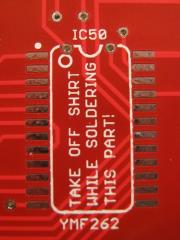 This made my day! :D
 -
Alright, we should add "ground connected?" to our default question. ;) MBSEQ counts octaves from -2, this complies to the Yamaha standard (I don't really like it, but there were too many unnecessary "bug" reports about the octave counting in the past) You are counting Octaves from 1, this makes the +3 difference Best Regards, Thorsten.
-
I won't reply to all your questions, because these are only unsorted thoughts and I find them too difficult to answer. I don't have the impression that you are ready for this project! Please read the already available README.txt for the current MIDI protocol. Think about the possibility to convert MIDI messages to another protocol with an application on your PC, because I'm saying that this is the best performance solution. If you don't believe me, go the route by yourself and make your experiences. Consider also that MIOS32 can open up to 8 USB MIDI ports in parallel as workaround for the WIndows driver which isn't multi client capable. Best Regards, Thorsten.
-
:thumbsup:
-
As far as I can see from your DWG file, you are trying to drive a column of 32 Duo-Colour LEDs from a single driver - this won't work! The current consumption is much too high. Using 8x8 matrices is the best choice HW and latency wise. From the SW side: it's possible, but you have to write a completely new BLM_SCALAR driver and BLM_SCALAR firmware, especially since you will need a new transfer protocol as well (even if you would use MIDI instead of OSC) You want to use OSC as transfer protocol, this will slow down the performance (see also my comments to OSC under http://www.ucapps.de/midibox_seq_manual_osc.html ) It's possible of course with some programming effort. But if you would ask me what is the best solution: use USB MIDI as transfer protocol, and convert MIDI messages to OSC packets on your PC (requires a proxy application) before forwarding the packets to Max MSP. My opinion shouldn't prevent you from making your own experiences with OSC of course - so to say it again: yes, it's possible. Best Regards, Thorsten.
-
Mokkinger will send me his AOUT_NG module for further analysis. It cannot be excluded that you've the same issue - please hold the line! ;) Best Regards, Thorsten.
-
ebay.de gives me 11 hits from different distributors in germany Price starts at 8.84 EUR Best Regards, Thorsten.
-
Probably the Pulsewidth is still set to 800 in your patch The pulsewidth has to start with a very low value (e.g. 010), and the envelope has to change it into the positive direction (which is the default behavior if you enable the ENV1->PW1 connection in the modulation matrix). This will sweep the pulsewidth from a very "thin" into the "crunchy" direction. Best Regards, Thorsten.
-
No, I haven't tried it yet because MBSEQ hasn't enough free memory for handling long filenames everywhere. And this could be your issue - e.g. avoid to declare variables of the large FATFS, but especially FIL structures as local variables (so that they are located in stack memory), instead declare them as global variables (e.g. "static FIL read_file_handle, write_file_handle;") After compilation you should be able to determine the actual variable size from the project.map file if for example read_file_handle is much larger than 500 bytes, you found the potential crash cause (stack is limited to 1024 bytes per thread) Best Regards, Thorsten.