


TK.
-
Posts
15,261 -
Joined
Content Type
Profiles
Forums
Blogs
Gallery
Everything posted by TK.
-
No, this isn't possible since v1.2 bootloader overlaps the mios v1.8 address range - but why do you need MIOS V1.8? Best Regards, Thorsten.
-
Btw.: is any Mac user interested on a BLM_SCALAR emulation? I'm using it to test the protocol with matrix dimensions which I would never build myself ;) The application communicates with your MBSEQ via MIDI. Planned features: track editing, drum pattern editing, piano roll editor, pattern selection, mixer control, VU meters, etc.. all implemented in the MBSEQ firmware, the BLM_SCALAR application only acts as a stupid display/data entry device. Best Regards, Thorsten.
-
Thank you! While I got a notification from goldphoenix last year (see my last posting in this thread), this time I got it from another well known guy: Von: SmashTV <avishowtech@gmail.com> Betreff: MIDIbox Store Order Shipped Datum: 17. November 2009 23:35:45 MEZ An: midibox.org Forum <tk@midibox.org> :) Best Regards, Thorsten.
-
I have to overwork this section. No, it doesn't have an effect on Roll. The gatelengths are predefined: // force gatelength depending on number of triggers if( triggers < 4 ) { // number of triggers: 2 3 4 5 const u8 gatelength_tab[4] = { 48, 32, 36, 32 }; // strategy: // 2 triggers: played within 1 step at 0 and 48 // 3 triggers: played within 1 step at 0, 32 and 64 // 4 triggers: played within 1.5 steps at 0, 36, 72 and 108 // 5 triggers: played within 1.5 steps at 0, 32, 64, 96 and 128 // in addition, scale length (0..95) over next clock counter to consider the selected clock divider gatelength = (gatelength_tab[triggers-2] * t->step_length) / 96; } [/code] In order to implement such a feature properly, I would have to overwork the concept how encoder speed is handled, and finding a better concept will take some time. So - only a quick idea or really an important feature? Currently the FAST button exclusively controls the encoder speed (which is handled by MIOS32) - for this feature, I would have to make an exception when a "Note" or "Chord" layer is selected. It will become complicated and error prone once switching between layers, switching to a menu page, etc. have to be considered as well... therefore a different concept would be required which considers certain layer/parameter type specific constraints. Such a mechanism wouldn't allow you to handle accent and gate separately, which is important whenever you are working with "prepared grooves", which are starting with a small number of gate triggers, and are enriched by more triggers (or at the end: all steps triggered) while the sequence is playing. I get use of this possibility very often to vary the patterns during a session. You could simply trigger your drummachine from a J5.A0..A7 gate, controlled from a dedicated track which plays 16 notes at the desired clock rate. The clock rate is defined by the clock divider value and normal/triplet mode. Now activate a groove style for this track -> done. :) Best Regards, Thorsten.
-
It's now documented here: http://www.ucapps.de/mbhp_sdcard.html Best Regards, Thorsten.
-
Then I've no idea. Maybe google helps you to find more informations about using a Standard USB MIDI device on a PowerPC based Mac. Best Regards, Thorsten. P.S.: it could be important that your core module is powered from an external PSU, or from an USB hub with a "strong" PSU supply.
-
Thats the tip of the month! :) I will try this as well (already have a Micro SD Card + adaptor) and document it on the MBHP_SDCARD page. Best Regards, Thorsten.
-
No, an additional installation isn't required. Do you see the device in the Audio-MIDI Setup Application? (see Attachment) Best Regards, Thorsten.
-
Shipped today: kinrat eightbithustler Best Regards, Thorsten.
-
Beta 13 is available; ChangeLog: o pulsewidth of DIN Sync clock pulsewidth now definable in MBSEQ_HW.V4 file (DIN_SYNC_CLK_PULSEWIDTH parameter) o Parameter/Trigger Layer selection can now be quickly incremented/decremented by pressing&holding Layer C button, and incrementing with Layer A button, resp. decrementing with Layer B button. o various minor bugfixes [/code] Best Regards, Thorsten.
-
Yes, USB MIDI is "only" supported from Tiger (MacOSX 10.4) upwards Problem: Layer C button is also used to quickly check the layer activities (therefore the lower line displays VU meters) I already see many dummy bug reports like "Layer selection goes wild when pressing C button" made by people who are not aware about this mechanism. So, I built an alternative solution into Beta13: By pressing&holding Layer C button you can increment/decrement the layer with A/B button. This isn't a complete replacement for your request, but I find it very useful for myself. fixed in Beta13 Multi Triggers have been replaced by the Roll function which can be assigned to an individual layer. Advantage: now multi triggers also change their velocity. Another advantage: higher granularity for Length parameter (1..96 ticks) Beta13 allows you to define the pulse width in your MBSEQ_HW.V4 file Best Regards, Thorsten.
-
In your configuration: BPM_Mode 2 MIDI_IN_MClock_Ports 0x000f0c01 MIDI_OUT_MClock_Ports 0x7ffffef0 [/code] - MIDI Slave mode (2) is selected - only USB1 MIDI In is enabled for receiving the MIDI Clock - no USB MIDI Out is enabled for transmitting the MIDI Clock Is this really the setup which leads to an extremely high BPM rate in Ableton Live? Best Regards, Thorsten.
-

windows 7 midi driver and core32 not working again
TK. replied to ultra's topic in Testing/Troubleshooting
If somebody notices this again: please try an external power supply, or power the module from an USB hub with a "strong" PSU. A weak USB supply can lead to unstable USB transfers - Windows will find the device, but the enumeration won't pass, so that an "unknown device" will be reported. Best Regards, Thorsten. -
A very nice - and especially small - design! :) Could you please download this into the Gallery? MIDI Clock Master issue: please generate a System and Globals report as described Especially the Globals report will contain informations that I need to reproduce the issue. Best Regards, Thorsten.
-
Replace the mb64_meta.inc file by following code, and you will be able to send this type of SysEx message with meta events ;; -------------------------------------------------------------------------- ;; This function is called by mb64_midi.inc when a meta event (Fx xx) has ;; been assigned to a pot or button ;; You can use this handler to enhance the firmware by your own MIDI events. ;; Here you are able to send more than one MIDI event (i.E. two Note On ;; Events to control Cakewalk via MIDI remote with one button), or a ;; SysEx/NRPN string to your synthesizer, or just to toggle PIC pins ;; in order to switch relays... ;; IN: ;; on pot events (entry point: MB64_META_Handler_Pot): ;; o Pot number in MB64_CURRENT_POT (BANKED access required!) ;; o first MIDI byte in MIDI_EVNT0 (no BANKED access required) ;; o second MIDI byte in MIDI_EVNT1 (no BANKED access required) ;; o pot value in MIDI_EVNT_VALUE (no BANKED access required) ;; ;; on button events (entry point: MB64_META_Handler_Button): ;; o Pot number in MB64_CURRENT_BUTTON (BANKED access required!) ;; o first MIDI byte in MIDI_EVNT0 (no BANKED access required) ;; o second MIDI byte in MIDI_EVNT1 (no BANKED access required) ;; o button value in MIDI_EVNT_VALUE (no BANKED access required) ;; -------------------------------------------------------------------------- MB64_META_Handler_Pot ;; THIS IS JUST AN EXAMPLE META EVENT HANDLER ;; ADAPT IT FOR YOUR NEEDS! ;; we are using the same handler for pots and buttons here rgoto MB64_META_Handler MB64_META_Handler_Button ;; THIS IS JUST AN EXAMPLE META EVENT HANDLER ;; ADAPT IT FOR YOUR NEEDS! ;; we are using the same handler for pots and buttons here rgoto MB64_META_Handler ;; -------------------------------------------------------------------------- ;; THIS IS JUST AN EXAMPLE META EVENT HANDLER ;; ADAPT IT FOR YOUR NEEDS! ;; HINT: if a large number of SysEx strings with the same structure (means: ;; for the same synth) should be sent, it would be more advantageous to ;; use a table which contains the parameter values and refers to the ;; sending routines ;; -------------------------------------------------------------------------- MB64_META_Handler ; F0 (sysex start) ; 01 (factory brand ID) ; 20 (synth type or ID) ; 01 (file version) ; 01 (program parameter) ; xx (parameter number) varies fom 0 to 127 (in decimal) but is dedicated to one control ie one pot for instance ; yy (parameter value = LSB nibble) ; zz (parameter value = MSB nibble) ; F7 (sysex end) movlw 0xf0 call MIOS_MIDI_TxBufferPut movlw 0x01 call MIOS_MIDI_TxBufferPut movlw 0x20 call MIOS_MIDI_TxBufferPut movlw 0x01 call MIOS_MIDI_TxBufferPut movlw 0x01 call MIOS_MIDI_TxBufferPut movf MIDI_EVNT1, W ; parameter number == number of meta event (e.g. Meta Event 0xf0 0x01 -> MIDI_EVNT1 == 0x01) call MIOS_MIDI_TxBufferPut movf MIDI_EVNT_VALUE, W ; extract lower nibble andlw 0x0f call MIOS_MIDI_TxBufferPut swapf MIDI_EVNT_VALUE, W ; extract upper nibble andlw 0x0f call MIOS_MIDI_TxBufferPut andlw 0xf7 call MIOS_MIDI_TxBufferPut return [/code] Checksum: as you can see, this generic approach allows you to generate *any* kind of checksum ;) In fact, you are able to send *any* kind of MIDI message this way, not only SysEx Best Regards, Thorsten.
-
writing NES controller-to-midi function for MBHP Core (pic)?
TK. replied to yatagarasu's topic in MIOS programming (C)
You could try following example: http://www.ucapps.de/mios_c_send_ain.html with following code in AIN_NotifyChange() unsigned int last_pin_value; void AIN_NotifyChange(unsigned char pin, unsigned int pin_value) __wparam { if( pin == 0 ) { if( pin_value >= 700 && last_pin_value < 700 ) { // Rising Edge at ca. 70% of 5V (-> 3.5V) // Send MIDI Start Event MIOS_MIDI_TxBufferPut(0xfa); } else if( pin_value < 300 && last_pin_value >= 300 ) { // Falling Edge at ca. 30% of 5V (-> 1.5V) // Send MIDI Stop Event MIOS_MIDI_TxBufferPut(0xfc); } last_pin_value = pin_value; } } [/code] Thats all. There are also other methods to do this (e.g. using J5 pins as digital inputs), but you asked for the AIN solution, and I want to demonstrate how this can be done. There is no real disadvantage by using an analog pin for this function - in distance, you get the advantage that you are able to define the hysteresis (as demonstrated above). So, your idea doesn't match with the standard approach, but it isn't so bad! :) More details about C programming can be found here: http://www.ucapps.de/mios8_c.html Best Regards, Thorsten. -
No, this isn't supported by the editor. But there aren't so many parameters, you could write them down on a paper and transfer it manually to another drum instrument. I'm not exactly sure what you mean, but drum sounds are using a special sound engine... it isn't possible to transfer a patch which gets use of the Multi/Bassline or Lead engine into a patch which uses the drum engine. In order to create a new drum kit, just open a new patch and select the drum engine. On the MBSID CS: press SHIFT and select the drum engine with the first GP button. Best Regards, Thorsten.
-
thanks for the feedback! Altitude noticed the same issue under Vista; we should collect more informations in this thread before I contact Ploytec (again). To all Vista/Windows7 users: it would be helpful if you could try the new driver and report if MIDI Ports are visible in your MIDI application (e.g. your DAW, MIDI-Ox, MIOS Studio, etc.) or not. Best Regards, Thorsten.
-
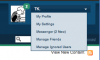
Es sollte so wie hier im Snapshot aussehen Gruss, Thorsten.
-
Here a short (incomplete) remix of "Home by the Sea" by Genesis (the DIY acapella of Phil Collins' part has been downloaded from this site). I used Arp17, Arp16 and the "Analog Dream 3" preset + some Stylus RMX drumloops and Logic AUs. -> http://www.ucapps.de/mp3/midibox_sid/mbsid_genesis_home_by_the_sea_remix.mp3 Feel inspired to do similar things - it's fun! :) Best Regards, Thorsten. P.S.: Reminder: please post your own arp patches
-
Ploytec released a new GM5 Windows driver (v1.0.9, 32bit and 64bit version), it can be downloaded from http://www.ucapps.de/mbhp_usb_gm5.html With this version, Windows shouldn't crash anymore if multiple GM5 modules are connected. Best Regards, Thorsten.
-
Are you using Clock Master or Auto mode? Best Regards, Thorsten.
-
windows 7 midi driver and core32 not working again
TK. replied to ultra's topic in Testing/Troubleshooting
The development environment of MacOS provides an USB Sniffer which allows to trace USB traffic in different verbose modes. Is something similar available for Win7? Best Regards, Thorsten. -
Interesting observation! This probably means, that there is (just only) a bad soldering joint to the ground plane of your MBHP_CORE module. Check all pins which are connected to ground, or add some solder to all pins if you are unsure that the connection is good enough. yes No! Best Regards, Thorsten.
-
MIDI mapping & control on only* 1 MIDI channel
TK. replied to protofuse's topic in MIOS programming (C)
Why are you not doing this? Best Regards, Thorsten.

