


TK.
-
Posts
15,261 -
Joined
Content Type
Profiles
Forums
Blogs
Gallery
Everything posted by TK.
-
http://www.free-electronic-circuits.com/circuits/8-random-flashing-leds.html
-
Are you a Mac or Windows user? Could you please check with a MIDI Monitor that only USB1 sends the MIDI clock? Best Regards, Thorsten.
-
Great find! With this simple design the participants will be less busy with building the device, but more busy with drawing the perfect tune :) Best Regards, Thorsten.
-
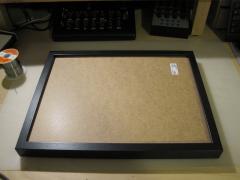
From the album: TK: BLM16x16 + X
Ikea Ribba 30x40 cm for 10 EUR Guaranteed worldwide available ;) -
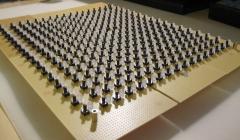
From the album: TK: BLM16x16 + X
-
Hi, so long the MIDI interface only sends the clock signal (0xf8) and nothing else, it should be possible to create a discrete solution with a 1:6 divider (because 0xf8 is sent 6 times for each 16th step). Once other events are sent as well (such as 0xfa for MIDI start, 0xfb for continue, 0xfc for stop), it will get a bit more complex if you don't want to use a microcontroller. Best Regards, Thorsten.
-
Hallo, da die LEDs durchgaengig leuchten, liegt das Problem wahrscheinlich an der SC/RC/SO Verbindung zwischen Core und DOUT Modul. Unter http://www.midibox.org/dokuwiki/doku.php?id=din_module findest ein paar Hinweise, wie sich der Fehler mit Hilfe des SRIO Interconnection Test finden laesst. Weitere Infos gibt es auch im entspr. README Gruss, Thorsten.
-
You will love it :) Song names with 20 characters are already prepared, but they are not editable yet. I'm not sure if they are really so important anymore since the new session concept gives you a better way to name (and organize/backup) your projects anyhow. Best Regards, Thorsten.
-
To everybody who suffers from wet dreams about huge MIDI controllers made for Ableton Live: don't watch this video! :) http://vimeo.com/11091676 Julien wrote a decent documentation, which is located under http://www.julienbayle.net/diy/protodeck/ Alternative link to the MIDIbox Wiki: http://www.midibox.org/dokuwiki/doku.php?id=protodeck Discussions about the project for people who are interested to do something similar:
-
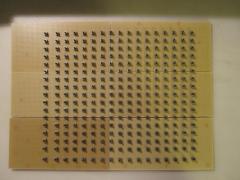
From the album: TK: BLM16x16 + X
-
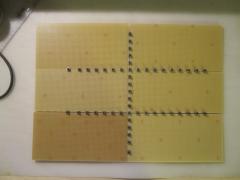
From the album: TK: BLM16x16 + X
-

How to port mios32 to other microcontroller?
TK. replied to Arkadiuz's topic in MIOS programming (C)
Since your uC as only 64k flash and 16k RAM, I can already inform you that the resources are not sufficient. Thats the current memory usage of MBLC (Logic Control == Mackie Control) Macintosh:midibox_lc_v2 TK$ make -s ------------------------------------------------------------------------------- Application successfully built for: Processor: STM32F103RE Family: STM32F10x Board: MBHP_CORE_STM32 LCD: ks0108 ------------------------------------------------------------------------------- text data bss dec hex filename 62400 96 14328 76824 12c18 project.elf [/code] text = flash bss = RAM ...and the application isn't completed yet Best Regards, Thorsten. -
How to port mios32 to other microcontroller?
TK. replied to Arkadiuz's topic in MIOS programming (C)
I don't like "bumpers" who think that they could make pressure for an answer this way, however here some notes that I can give you quickly. You have to copy the files under $MIOS32_PATH/mios32/STM32F10x to $MIOS32_PATH/mios32/STR7x and adapt each file (if possible), resp. leave them as empty wrappers if the appr. functionality isn't available. Peripheral drivers (if provided by STM) have to be installed under $MIOS32_PATH/drivers/STR7x Thereafter install the FreeRTOS low level layer to $MIOS32_PATH/FreeRTOS/Source/portable/GCC/STR7x The code under $MIOS32_PATH/programming_model/traditional requires adaptions as well. Port the $MIOS32_PATH/bootloader (especially the flash programming routines) Finally create a suitable linker file under $MIOS32_PATH/ld/STR7x - done! Best Regards, Thorsten. -
If ipMIDI becomes a defacto standard, it shouldn't be a big problem to provide it as an alternative option. The protocol is simple but primitive compared to OSC. I guess that the transfer performance is almost identical. This is a controller which uses the Bonjour based protocol: http://futuremusic.com/blog/2010/03/23/midipad-announced-first-dedicated-wireless-midi-controller-for-apples-ipad/ According to the german introduction, no other iPhone/iPad application uses it yet, but the big advantage should be Plug&Play (no driver installation required) Best Regards, Thorsten.
-
Thanks, I will check this soon. Best Regards, Thorsten.
-
Guys, there is no real need to discuss about MIDI options via ethernet. As mentioned before, there seems to be a standard solution for the iPad provided by Apple. Alternatively, I've already developed a OSC->MIDI proxy which is really simple to use and which will very likely also run on the iPad. Here the MacOS and Linux version for example: http://svnmios.midibox.org/listing.php?repname=svn.mios32&path=%2Ftrunk%2Ftools%2Fosc_midi_proxy%2F A more general version (based on Juce) will be developed so that it also runs under Windows w/o adaptions. Main advantages: you can send other OSC messages to the same port (-> more flexibility) It will be compatible with the OSC option of MBSEQ And there is a separate HW based OSC->MIDI proxy: http://svnmios.midibox.org/listing.php?repname=svn.mios32&path=%2Ftrunk%2Fapps%2Fmisc%2Fusb_osc_midi_cv_proxy%2F Thats the most flexible solution, no? Best Regards, Thorsten.
-
Ok, so it's probably better to remove this file (remove the reference only!) from the compile list - in this case, the non-optimized libc printf() functions will be used. Best Regards, Thorsten.
-
Alright - this explains all your delay/latency issues. A MIDI port assigned to BLM_SCALAR shouldn't be used for normal MIDI output. The function is secret ;) Best Regards, Thorsten.
-
Hallo, mit einem RS232 maessigen MIDI Interface Ersatz wirst Du sehr wahrscheinlich nicht gluecklich. Vor 10 Jahren - zu Zeiten von Win95, Win98 und WinME - war das noch eine gangbare Loesung, doch seit WinXP/Vista/Win7 wird RS232 von M$ nur noch stiefmuetterlich behandelt, und die alten Treiber die man so im Netz findet laufen entweder gar nicht, sehr instabil oder lasten den PC zu sehr aus. Insofern kann ich die COM Option von MIOS nicht mehr weiterempfehlen - die macht nur Aerger! Ja, es ist moeglich MIOS und eine Applikation direkt in den PIC zu flashen, wenn man sich aus den verschiedenen .hex Files mit einem normalen Texteditor ein neues zusammenbastelt - doch im Endeffekt macht das nur wenig Sinn. Denn fuer einen MIDI Controller braucht man ja sowieso ein MIDI Interface, warum also nicht gleich den komfortablen (und uebrigens auch schnelleren) Weg zum Flashen der Firmware waehlen? Da Du einen PIC Programmer besitzt, koenntest Du Dir auch bei Reichelt einen PIC18F4550 kaufen (4.80 EUR) und die MBHP_USB_PIC Firmware flaschen (bzw. den Microchip USB Bootloader, und dann die Firmware via USB aufspielen) - so erhalest Du ein MIDI Interface, mit dem sich ein normaler "MIOS Core" programmieren laesst. Und die Loesung waere dann auch immer noch wesentlich guenstiger als die RS232 Loesungen im Netz! Alternativ (ich weiss ja nicht was Du mit dem Core Modul anfangen moechtest), koenntest Du Dir auch mal das MBHP_CORE_STM32 Modul anschauen - USB integriert, schneller gehts nicht, siehe auch diesen Vergleich: Gruss, Thorsten.
-
Yes, different page views for more comfortable parameter entry makes sense and they are easy to realize. I guess that at the end the "HW frontpanel" view will only exist for historical reasons ;) Memory leak: I will check this once I get my hands on the real device - otherwise debugging will be too time consuming. It's strange that printf() etc. are not working - the simplified version is implemented in printf-stdarg.c Best Regards, Thorsten.
-
It looks like you've assigned the BLM_SCALAR output port to IN1, can you confirm this? Go into the MIDI menu, select the Misc page, and check the port to which BLM_SCALAR has been assigned. Select "off" to disable it. Best Regards, Thorsten.
-
Very cool, thank you for the remote demonstration! :) I already feared that the GP knobs are too small, but I will try to improve the touch handling with tap and stretch gestures. As a workaround, you can already use the big datawheel to change the last selected value. By pressing the play button the sequencer should start - thereafter press the menu button, select "Info" and you should get a "stopwatch" value which tells you how long a sequencer update cycle takes. On the Core32 module it typically takes ca. 600 uS..1.5 mS (value depends on the amount of notes that are played in parallel) I noticed in the video, that the response of the buttons is sometimes too slow (resp. sometimes they don't switch) - probably the LCD emulation consumes too much time and therefore has to be optimized. Too bad that the UI doesn't provide priority task handling like FreeRTOS - this would simplify things a lot. Best Regards, Thorsten.
-
I don't see a relation between the SD Card and delays on MIDI Out. Are you able to record the MIDI Output into Nuendo with a MIDI interface connected to your PC? This would be a nice debugging help. Another interesting experiment: open MIOS Studio, select your MIDI interface as MIDI Input and play the notes. The timestamps in MIDI IN monitor will show you the delays very accurately in mS resolution. What delays do you see there (please post the log) Best Regards, Thorsten.
-
MF Module: Regulator gets hot / wrong voltage
TK. replied to Felicitus's topic in Testing/Troubleshooting
Ok, probably the blue color of the resistor confused you. No, thats fine and shouldn't cause any negative effect. Best Regards, Thorsten. -
MF Module: Regulator gets hot / wrong voltage
TK. replied to Felicitus's topic in Testing/Troubleshooting
Hi Timo, The orientation of the diode is important and it's correct on this picture (and other pictures that are located on the MBHP_MF page) The orientation of the resistor doesn't matter. However, does this mean that you soldered the diode the wrong way? Thats very likely the reason why the voltage at C4 is so low, and why LM317 gets a short. Probably the circuit will work (no damages) if the diode pins are swapped. Best Regards, Thorsten.