


TK.
-
Posts
15,261 -
Joined
Content Type
Profiles
Forums
Blogs
Gallery
Everything posted by TK.
-

Error when attempt at compiling the Motormix app
TK. replied to Steven_C's topic in MIOS programming (C)
Great that you solved this :) Best Regards, Thorsten. -
Alright! This delay (the gap) is caused by the common MIDI baudrate - there is no way to prevent this, musicians are living with this effect since almost 30 years now ;) I guess that it is around 650 uS - can you confirm this by measuring this time with your waveform editor? Here a comparison which demonstrates the delay between USB MIDI (MBSEQ sends over USB1), running status optimized MIDI (MBSEQ sends over OUT1), and non-optimized MIDI output (not used by MBSEQ) The full article can be found here: MBSID issue: the track is clean (I'm able to load this pattern into my own MBSEQ) Therefore I've only two explanations for this effect: either a second track plays C-1 over the same MIDI channel, so that glide is triggered, or your MBSID patch has portamento permanently enabled. 1st assumption can be checked by playing G3T1 in solo mode 2nd assumption can be checked by playing the default patch of MBSID (located at A001 if you haven't overwritten it yet) Best Regards, Thorsten.
-
Error when attempt at compiling the Motormix app
TK. replied to Steven_C's topic in MIOS programming (C)
Hi Steve, 'sh' is not recognized as an internal or external command, operable program or batch file.[/code] Thats strange! It seems that the shell command cannot be found anymore (it's part of MSYS), although some previous "sh" commands worked w/o error. What happens if you type: [code] sh -c "echo test" And what happens with: sh ./bin/mios-sdcc -c -mpic16 -p18f452 --fommit-frame-pointer --optimize-goto --optimize-cmp --disable-warning 85 --obanksel=2 -I./src -I ./include/c -I ./include/share -DDEBUG_MODE=0 src/main.c -o _output/main.o in the command window? Best Regards, Thorsten. -
Hi Jordan, for a 16x2 LCD the firmware has to be recompiled with "CS_MENU_DISPLAYED_ITEMS" set to 4 in the setup_* file that you are using. Best Regards, Thorsten.
-
The code to communicate with a BLM via MIDI is already integrated into the MBSEQ firmware and tested (with the virtual BLM). It won't be possible to connect a BLM16x16 directly to the MBHP_CORE_STM32 module which runs the MBSEQ firmware, therefore a second uC (a PIC) will be required. The BLM code which runs on a PIC has been started, but currently only supports 4x16 since I don't have a 16x16 HW ready yet to add and check the required changes. The project isn't documented yet, and it definitely needs some more work before somebody could start to build the project. Since I've already the required 256 buttons and Duo-Colour LEDs, I will build at least the basic HW on veroboards (nice relaxing work ;)). More informations (schematics, configuration options, etc.) sooner or later in a separate topic (not here!) Best Regards, Thorsten.
-
Custom Din/Dout LEDs problem [solved] - some more questions
TK. replied to gjvti's topic in MIDIbox SEQ
I'm not sure if the MIDI option is supported by Windows, but I've already implemented an OSC->MIDI proxy which should also work on a PC. Alternatively, use a MBHP_CORE_STM32 together with a MBHP_ETH module to run a MIDI (and CV!) proxy (the appr. MIOS32 application is already prepared, but not released yet) Or even better: run the MBSEQ V4 application on a MBHP_CORE_STM32 module and control it remotely from an iPad - this is probably the most efficient solution which guarantees best timings. :) But since you already built a control surface, using an iPad for a virtual BLM16x16 will probably be a better idea. There are many possibilities... ;) Did you power-cycle your MIDIbox? The MBSEQ_HW.V4 file will only be read during the boot phase. A short status message will pop up after boot which displays the loaded files, is HW marked with 1 or 0? Btw.: mixing DIN and DOUT modules is dangerous. If you ever notice flickering LEDs, create a separate branch for DIN and DOUT modules. Keep the cables so short as possible. If you don't notice this effect, there is no need to change the cabling. I'm not sure :-/ All SD Cards I own will be mounted correctly under WinXP Best Regards, Thorsten. -
Hi, this issue is very likely not related to the resistor (and especially not to the tolerance value). To get a better understanding about the issue I need more input. Are the two notes played from a single track, or from two different tracks? Could you please post the track content? Just open MIOS Studio and type "track <track-number>" in the MIOS32 terminal. E.g., to get the informations of the first track, type "track 1" Are two notes played at the same time again like in the first example? Are the notes sent over the same MIDI channel? If not: check the step lengths (-> parameter layer C) - if the length value of C-1 is higher than 100% followed by C-2 on the next step, a slide will be triggered. If this doesn't help, please post the track content for this example as well. Best Regards, Thorsten.
-
Well, when I saw the first iPad videos my first idea was, that this is the ideal platform for a virtual BLM, not at least because of the multi touch capabilities which is the key for such kind of applications. I'm not sure if I still need a HW based BLM for myself anymore. The main advantage of the SW solution is the flexibility - you can quickly change the application to use the device for a different purpose, accordingly it saves some place on the desk. Beside of the virtual MBSEQ and BLM I'm also planning a flexible MIDI keyboard interface which changes its layout based on a selectable scale (only notes which are part of the scale can be played). Such a keyboard is impossible to realize in HW. ;) Another application will be a SysEx editor for MBSID - probably it will use the same code as MBSID V3 which will feature a touchpanel as well (but much smaller and w/o multitouch) So - these are already 4 useful applications that can run on the same device. :) I don't know a similar device in this price range with the appr. display size which supports multitouch Best Regards, Thorsten.
-
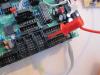
Do you remember if the latest bootloader release (v1.1) has been installed? (it's available under http://www.ucapps.de/mios32_download.html) With older versions the USB MIDI communication via Juce/MIOS Studio 2 will fail (at least under MacOS, I'm not sure if the same effect happens under Windows) Workaround: upload the new bootloader via UART based MIDI. As Phil mentioned, the J15:RW pin shout be connected to ground (thereafter power-cycle the core) to force bootloader mode. On the old core module, there was a resistor between J15A/B where this signal is available (see picture) Best Regards, Thorsten.
-
You can download the code from the command shell with "svn co svn://svnmios.midibox.org/mios32" The project file is located under trunk/apps/sequencers/midibox_seq_v4/ipad/MbSeq.xcodeproj It would be especially interesting if the virtual encoders are working properly. Note that MIDI output isn't implemented. I've heard that MIDI is provided via Bonjour, but haven't found documentation about this approach yet. Best Regards, Thorsten.
-
Probably you missed this page: http://www.ucapps.de/midibox_808.html Best Regards, Thorsten.
-
Here a first impression of the virtual MIDIbox SEQ V4 for the iPad. As you can see, there is some space for additional buttons or display functions. :) Due to the delayed delivery in Europe I won't be able to test and finish the emulation before june... Currently I cannot estimate if the timings will be so stable like on a real MBSEQ, however together with the upcoming OSC option we will get at least a nice remote control :) Best Regards, Thorsten.
-
Did you press ALT+Pattern button before power-off to store the current pattern? Best Regards, Thorsten.
-
The feedback issue should be fixed in RC37 now: RC37: o SW based feedback loops won't lead to endless repeated replies [/code] jvdieks: could you please check this with Cubase? Known issues: - if the feedback loop already exists while the MIDIbox is turned on, the 1st level bootloader could hang up - I don't like this, but a solution to overcome this is difficult (updating the bootloader is dangerous for people who don't own a PIC programmer) Workaround: turn on the MIDIbox before starting Cubase, or remove one of the MIDI cables until the application has been booted. - an application cannot be uploaded so long the feedback loop exists (MIOS Studio 2 will detect this) Best Regards, Thorsten.
-
Short answer: there must be an option in Cubase to avoid this feedback loop. Long answer: MBSID sends a reply on SysEx message to improve the robustness of MIDI transfers (e.g. a tool can verify if the sent message has been received and if the checksum is correct). The Java based editor relies on this feature. I admit that this is somehow overengineered, you won´t find this kind of communication on many synths. In MBSEQ I already implemented a filter for feedbacked messages, maybe I could add this to MBSID as well w/o affecting the communication w/ existing tools, but I´ve to try this out first. But: the way how patches and the edit buffer are requested and sent is very common for most synthesizers. The dump which is sent by MBSID can be directly sent back from a PC/Mac without changing the SysEx data. If Cubase always sends back the received stream, you will notice a dramatic performance issue (a synth gets stucked whenever an editor (or similar tool) requests a patch) - therefore I´m sure that Cubase provides a filter mechanism - somewhere... Best Regards, Thorsten.
-
2) is the most efficient solution as it only allocates local stack (in zero time) - but take care that stack memory is limited (1024 bytes), don't declare huge arrays there 1) is expensive since it allocates RAM statically, and it's bad programming style - you want to avoid the usage of global variables whenever possible. Best Regards, Thorsten.
-
I would have to spend some time to reach the state that you and some other people requested: 1 day: adding option for 16 instead of 8 faders (probably requires to open a second USB MIDI port and to make the SysEx handler multi port capable - I cannot give you exact instructions what exactly has to be edited, but many changes at different places have to be expected) 1 day: adding configuration possibility w/o the need to recompile the firmware, e.g. config options stored in a .txt file on a SD Card 2 days: providing the possibility to store the configuration in internal flash instead of SD Card + appr. SysEx transfer tool. Note that this option will be required for your usecase, as a SD Card has to be connected to J16, but this port is already allocated for fader #13..16 1 day: support for 2 CLCDs instead of a 240x64 GLCD 1 day: support for even more CLCDs instead of GLCD 2 days: find perfect solution for touchsensors 1 day: testing under MacOS and Windows before release to avoid time consuming troubleshooting sessions at your side 2 day: writing documentation to avoid confusion at your side I don't think that I can spend such efforts before July/August, since there are so many other interesting projects in the queue. :) If you are happy with the current state of the MBLC application, you could use it as it is - it works fine at my side :) But this would require that you recompile the firmware by yourself anyhow, accordingly a release is not required. Just download the current code from the SVN server and install the MIOS32 toolchain. Best Regards, Thorsten.
-
Yes, except for the connection name - you probably mixed it again. The three control lines are located at MBHP_AIN::J6:A/B/C, they have to be connected to J19 in your special case (96 pot inputs) The analog and supply lines are located at MBHP_AIN::J5, they have to be connected to MBHP_CORE_STM32::J5A/J5B/J5C Best Regards Thorsten.
-
No, you were speaking of the MBHP_AIN module, therefore I referenced the three multiplexer control inputs at J6:A/B/C The configuration has to be done in mios32_config.h as explained in the 012_ain_muxed tutorial example. This would be a working configuration for up to 96 pots (control lines are connected to J19 instead of J5C, as you obviously want to use the analog inputs of J5C) // AIN configuration: // bit mask to enable channels // // Pin mapping on MBHP_CORE_STM32 module: // 15 14 13 12 11 10 9 8 // J16.SO J16.SI J16.SC J16.RC J5C.A11 J5C.A10 J5C.A9 J5C.A8 // 7 6 5 4 3 2 1 0 // J5B.A7 J5B.A6 J5B.A5 J5B.A4 J5A.A3 J5A.A2 J5A.A1 J5A.A0 // // Examples: // mask 0x000f will enable all J5A channels // mask 0x00f0 will enable all J5B channels // mask 0x0f00 will enable all J5C channels // mask 0x0fff will enable all J5A/B/C channels // (all channels are disabled by default) #define MIOS32_AIN_CHANNEL_MASK 0x0fff // define the deadband (min. difference to report a change to the application hook) // typically set to (2^(12-desired_resolution)-1) // e.g. for a resolution of 7 bit, it's set to (2^(12-7)-1) = (2^5 - 1) = 31 #define MIOS32_AIN_DEADBAND 31 // muxed or unmuxed mode (0..3)? // 0 == unmuxed mode // 1 == 1 mux control line -> *2 channels // 2 == 2 mux control line -> *4 channels // 3 == 3 mux control line -> *8 channels #define MIOS32_AIN_MUX_PINS 3 // control pins to select the muxed channel #define MIOS32_AIN_MUX0_PIN GPIO_Pin_5 // J19.SO #define MIOS32_AIN_MUX0_PORT GPIOB #define MIOS32_AIN_MUX1_PIN GPIO_Pin_6 // J19.SC #define MIOS32_AIN_MUX1_PORT GPIOB #define MIOS32_AIN_MUX2_PIN GPIO_Pin_13 // J19.RC1 #define MIOS32_AIN_MUX2_PORT GPIOC [/code] Best Regards, Thorsten.
-
No, just send to the DEFAULT port, which is assigned to USB0 by default. If you want to send to a MIDI port, just use MIDI0 instead of DEFAULT (or USB0) There is nothing special that you need to add to your code to make this working. It seems that you still haven't worked through the tutorials ;) Best Regards, Thorsten.
-
AINx4 modules are not chained, the three multiplexer control lines (J6:A/B/C) are connected in parallel - it's really straightforward. Best Regards, Thorsten.
-
Could you explain the issue a bit better please, because somehow your question doesn't make sense to me. Best Regards, Thorsten.
-
Alright, I moved your posting to the fleamarket Best Regards, Thorsten.
-
yes Yes, and you don't need to remove the VR if it is already soldered on board. Best Regards, Thorsten.
-
P.S.: to check the digital control of the INA/INB inputs, it's probably easier to use the mf_direct_control application instead of sending Pitchbend events to MBLC - it allows you to set the pins directly by using 16 buttons (the first 16 buttons in the DIN chain) Best Regards, Thorsten.
