
baconjuice
-
Posts
28 -
Joined
-
Last visited
baconjuice's Achievements

MIDIbox Newbie (1/4)
0
Reputation
-
Need some help setting up OLED displays [solved]
baconjuice replied to baconjuice's topic in MIDIbox SEQ
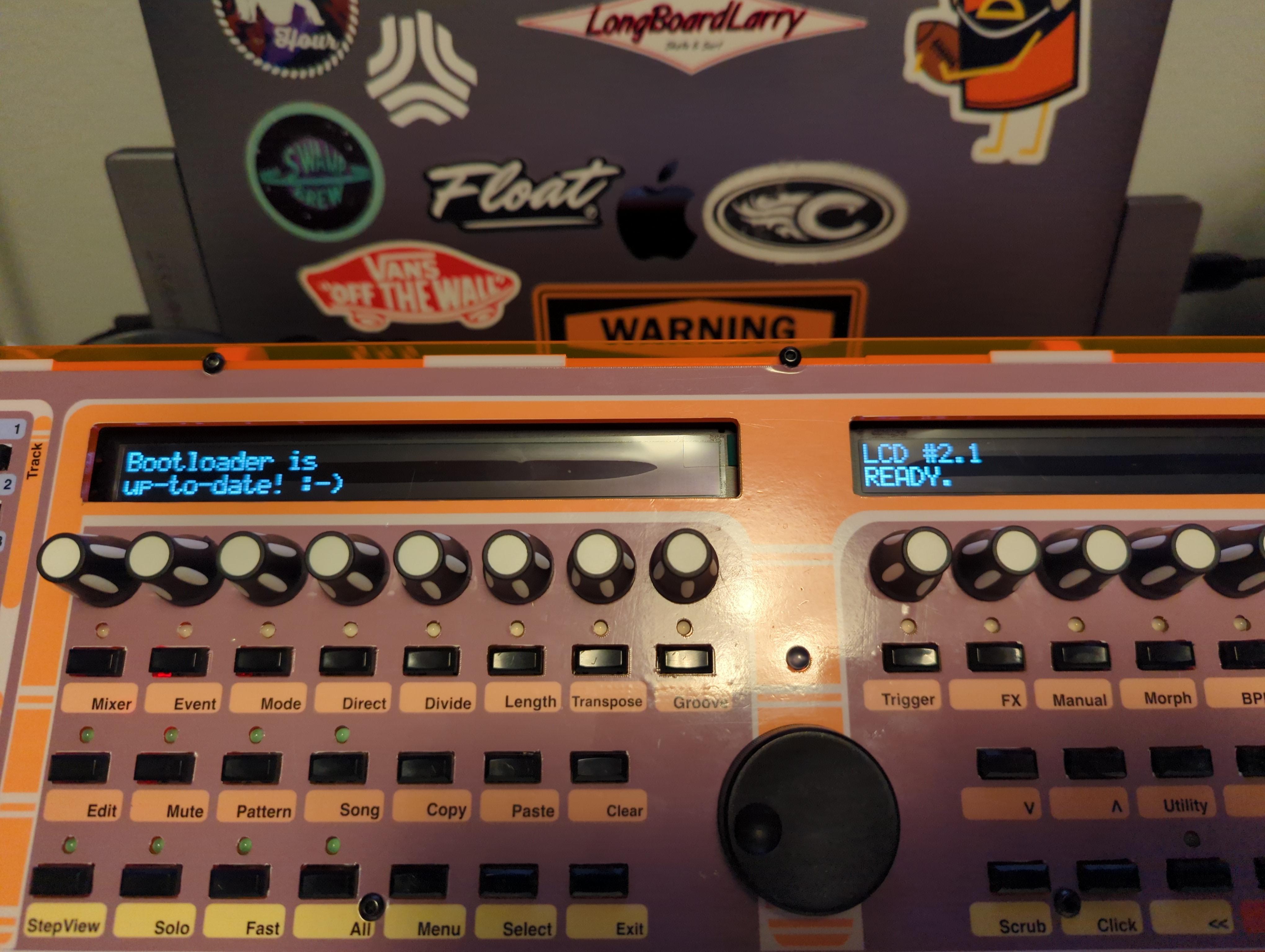
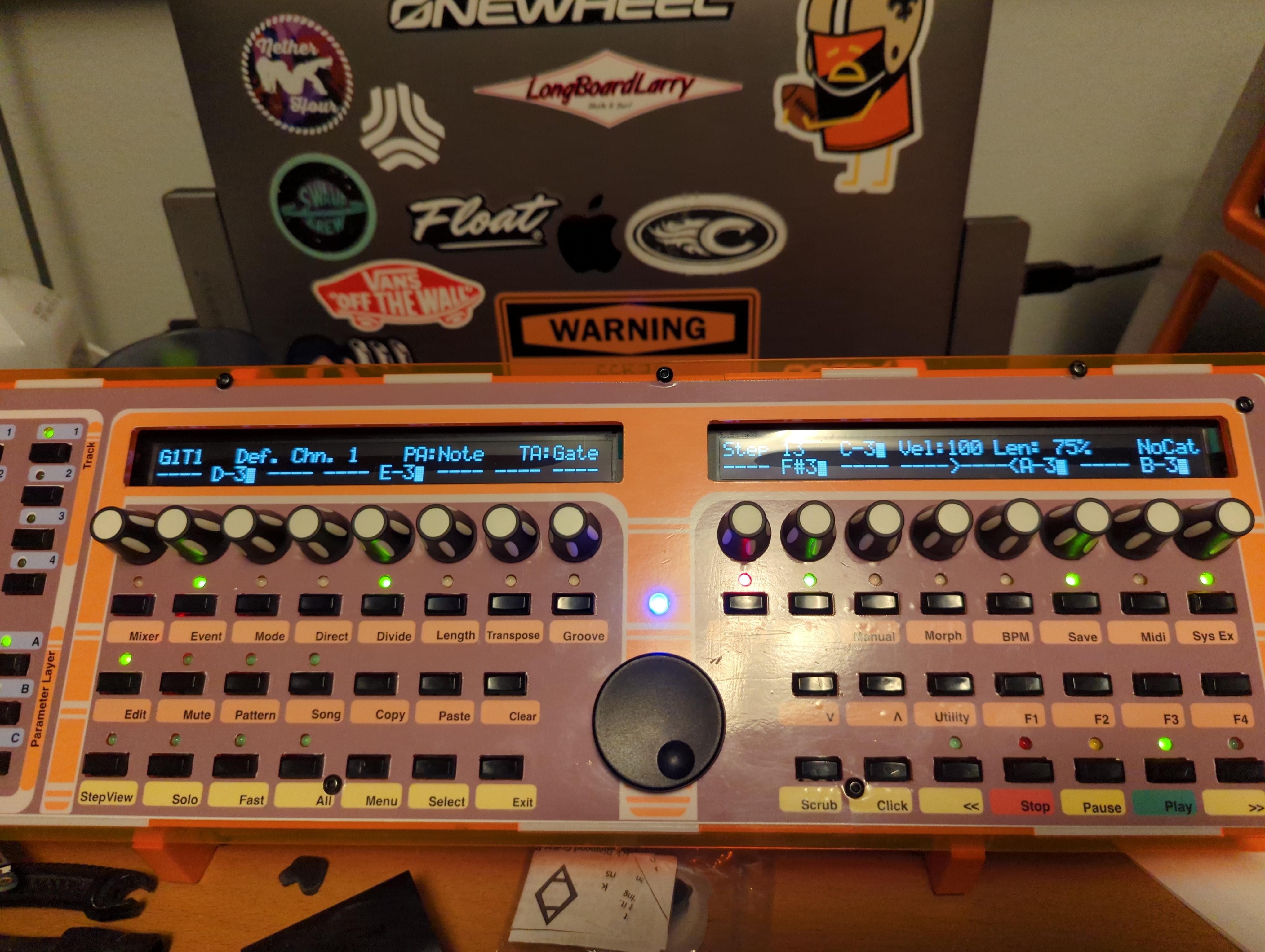
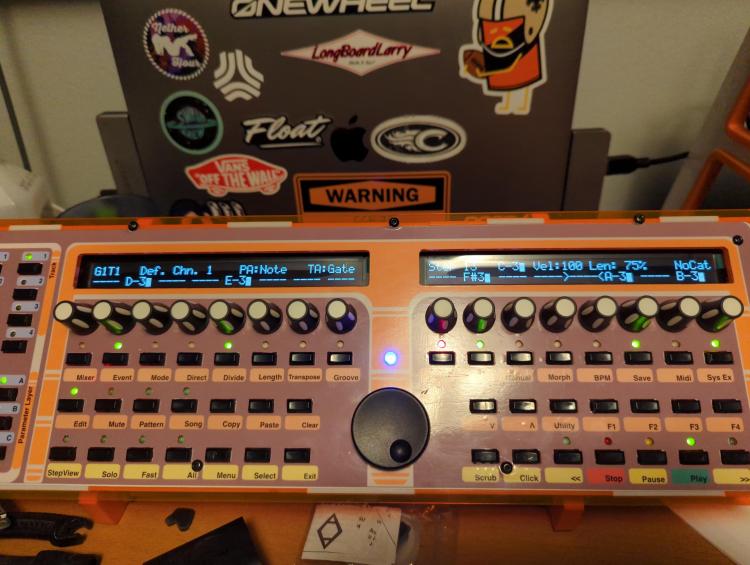
Good news everybody! I got my OLED displays working!! The displays in question are Focus LCDs 0402A-CW-SW3, I ended up downloading the mios tools from GitHub: https://github.com/midibox/mios32 And the mios toolchain for macOS here: http://www.ucapps.de/mios32_c.html And compiled the bootloader updater make file at: ./mios32/bootloader/updater Uploading the resulting .hex file now included the lcd_type 0x02:CLCD_PP which allows the LCDs to behave properly. They were working with the lcd_type 0x01:CLCD_DOG but that configuration was not handling the line break correctly. Basically, after setting the clcd_dog option and sending the store command the "Bootloader is up to date! :-)" message was all on one line instead of split between the 2 lines. Now it works as expected. Hopefully this helps the next brave soul that attempts this! :D Here is they are happy in my SEQ V4, pardon my messy desk. XD Thanks everyone and many thanks TK for all your awesome work!!!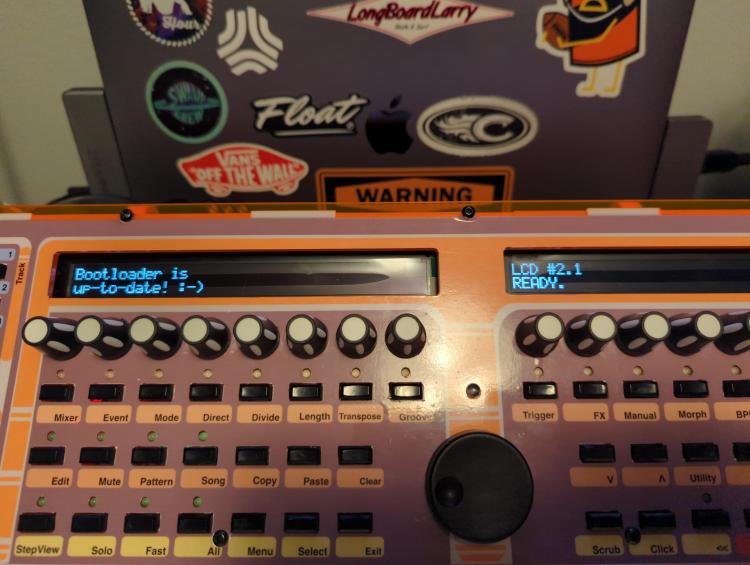
-
I'm upgrading my SEQ v4 with some OLED displays. I was able to get them working by changing lcd_type in the bootloader to 0x01: CLCD_DOG. However, the text is only being written on the top line. I've been trying to troubleshoot this and there is supposed to be a new lcd_type for this display in the boot loader (0x02: CLCD_PPP) but I'n not seeing that option when I run the lcd_types command. Is there a different version of the boot loader that I need? Here is my output from MIOS Studio: [595397.479] Initialize LCD #1 [595397.536] Initialize LCD #2 [595397.592] [595397.592] ==================== [595397.594] Bootloader 1.018 [595397.604] ==================== [595397.607] [595397.618] Checking Bootloader... [595397.671] No mismatches found. [595397.673] The bootloader is up-to-date! [595397.689] You can upload another application now! [595397.710] Or type 'help' in MIOS Terminal for additional options! [595417.029] lcd_types [595417.030] List of known LCD types: [595417.030] 0x00: CLCD [595417.031] 0x01: CLCD_DOG [595417.031] 0x80: GLCD_CUSTOM [595417.031] 0x81: GLCD_KS0108 [595417.031] 0x82: GLCD_KS0108_INVCS [595417.031] 0x83: GLCD_DOG [595417.031] 0x84: GLCD_SSD1306 [595417.031] 0x85: GLCD_SSD1306_ROTATED [595417.031] 0x86: GLCD_SED1520 [595417.031] You can change a LCD type with 'set lcd_type <value>' [595417.031] Please note that newer types could have been integrated after this application has been released! Thanks in advance for the help!
-
I think i see what it is you are after here. The problem is that the C=64 brick does not output 14 volts. It outputs 5 volts DC and 9 Volts AC, so somewhere on your circuit you will need to convert that AC voltage to DC for your sids. Does that make sense? Another option, and probably the easiest imho, is to supply your circuit with a 12V DC power supply and include both a 7805 for the core and logic chips and a 7809 (6582/8580)or 7812(6581) for the sids. Hope that helps...
-
Los projectos de BaconJuice...
-
-
I've been wanting to do this with my sid as well. I was planning on using a cold cathode light like the ones used in computer cases. They are cheap, run on 12v and usually have adjustable brightness. I have one that I salvaged recently and it even has a mic so it can light up with the music. Only drawback is that they use an inverter and that might introduce some noise into the audio but I think that all depends on placement besides, that problem exists with using EL stuff.
-
hello Toneburst, Not sure if this is what you are experiencing but I've had this problem before on pads that are attached to a ground plane. the ground plane acts like a heat sink so the pad doesn't get hot enough for the solder to stick to it. One thing that has worked for me is to turn up the heat and put a little more of the iron on the pad rather than the component. Try not to leave the iron on there too long as high heat can damage some components. As far as being slow with the soldering goes, I wouldn't worry about it. Quality is better than speed when it comes to this. baconJuice
-
Hello Rutger, Great job on the editor and thank you. Just as an additional data point, I was also having the same problems as Imp and Vout using my usb to midi interface (M-audio Uno and Keystation 49). I then connected to my desktop with built in midi (joystick port to midi) and the program worked fine. I remember when I first finished my MbSid, I was having problems with uploading the patches using Midi-ox and TK suggested that I increase the output buffer in midi-ox to work with my device (I don't remember what the default was but increasing it to 2048 worked). I wonder if there is a similar issue happening here? Anyway, that conversation is here: http://www.midibox.org/forum/index.php/topic,10120.msg76053.html#msg76053. I hope this helps. Regards, Julio
-
Who wants +/-15 and +5 triple secondary toroids?
baconjuice replied to Doug Wellington's topic in Bulk Orders
I recently found these (http://www.toroid.com/standard_transformers/rectifier_transformers/rectifier_transformers_mult.htm)and ordered one for my midiboxFM project. Unfortunately, work has gotten really busy since then and I haven't had a chance to try it out yet, but I think it's going to work. It was expensive but it is really nice quality and they shipped fast. -
Got mine today Goblinz. Thanks a ton for doing this!!
-
Nice post Foona! Seems you got this power supply thing down. 8)
-
Me Three :D
-
Yes, this stuff is a little confusing especially the power supply part, I had a hard time with it as well. Basically what you need to do is build your sid boards with the appropriate voltage regulator for each type of sid. The 6581 needs 12volts so it gets a 7812 and the 8580/6582 needs 9volts so it gets a 7809 on its board. Then you build up the power supply exactly like the schematic. The power supply will provide two outputs, a 5volt and a 14volt. The 14volt line will go to the sid boards and the regulators on the boards will provide the correct power for the sids. the 5volt line and ground will go to your core module at J2. because you are feeding it the 5volts it requires, you will not need the 7805 regulator on that board. I hope that helps and doesn't add to the confusion.
-
Hey Crisp, That demo mp3 was great, Thanks! I would be interested in checking out that schematic. I was going to build one of these but I was waiting to see if the schematic was going to be updated on swinkel's site. thanks in advance... Julio
-
Hey Everyone, thanks for the nice comments. This case was a quick and fun way to get all of my modules consolidated and a little more safe. Before this everything was just on a breadboard and vulnerable to the elements.
-
This is great news, I was wondering what happened to this project. I for one am exited about using SwinSID as an extesion for my MBSid. Thanks for the update and as usual all your hard work TK. And many thanks to Swinkels as well.